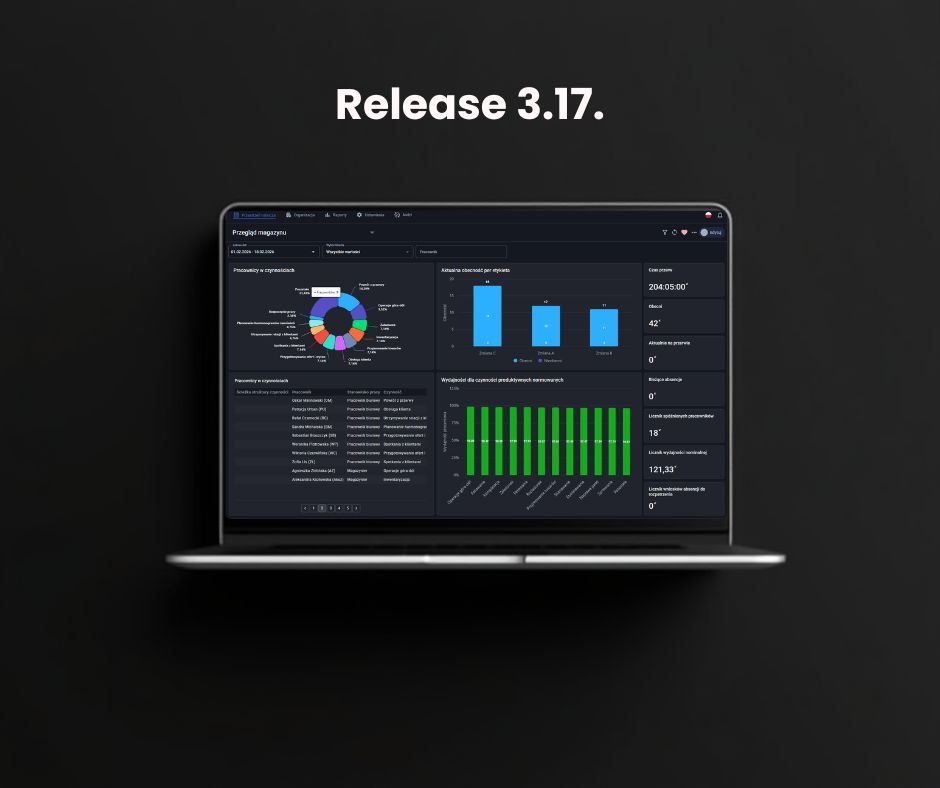
Time management in multi-branch companies and international environments requires tools that eliminate language and technological barriers. We are introducing what's new in Time Harmony version 3.17 (released on 16.04.2026), which focuses on precise customization, global standards, and easier integration. The new features allow for advanced module visibility management, full support for English and consistent data exchange with external systems.
Full support for English – standard in international companies
To meet the needs of organizations operating in a distributed model, we have introduced a comprehensive system of translations of proper names and configurations. Until now, the system layer (menus, buttons) was available in English, but proper names (activities, types of absences) remained in the source language. Since version 3.17, the system has become fully bilingual.
Scope of implemented translations:
- Workspace and desktop: Translations of event names, attributes, and reasons for absences in widgets and alerts.
- Conclusions and schedules: Names of day types and reasons for absences visible in the selected language (PL/ENG).
- Reporting and auditing: The results of the reports and the entries in the audit log take into account the translations introduced, which allows reliable data to be shared with foreign management boards.
Why is this solution crucial? In practice, time management in multi-branch companies often encountered a language barrier at the report level. A manager in the UK, analyzing the Polish branch, saw an English menu, but Polish names for activities (e.g. "Line work"). Version 3.17 eliminates this problem – it now sees the "Production Line", which speeds up decision-making processes and eliminates errors in data interpretation.
 Business goal: Unification of management standards in multi-branch companies. Thanks to the elimination of language barriers in reports and dictionaries, managers in foreign branches can analyze data on their own without the risk of misinterpretation, which significantly speeds up decision-making processes.
Separation of language configurations for interface and terminals
We've made changes to the language settings to make it easier to manage working time in multi-branch companies with employees of multiple nationalities:
- Interface language (TH/MTHM): Allows selection of the language of the administration panel and the application (PL/ENG).
- Stationary terminal language: Applies to the Time Harmony terminals, where a full list of languages (m.in. Ukrainian, Slovak, Spanish and others) is available, which allows employees in production or in the warehouse to record events in their native languages
Business goal: Improve the transparency of the configuration and better fit into the employment structure. The administrator gains clarity about which setting affects management and office staff (PL/ENG) and which allows you to communicate with line workers in their native languages on terminals.Extended mapping for ERP and SAP systems
Modern time management in multi-branch companies requires smooth data exchange with HR and payroll systems (SAP, Enova, Comarch). Version 3.17 introduces multiple mapping of sections and employers.
The previous model allowed only one identifier to be assigned. The new solution allows one unit in Time Harmony to correspond to different keys in several external systems at the same time.
Business goal: Easier integration and scalability. The solution eliminates data synchronization problems in complex IT ecosystems, allowing you to collaborate with multiple external systems without having to rebuild the database.Time management in multi-branch companies – systematic development for customers
Version 3.17 is the next step in the process of continuous improvement of Time Harmony. Our priority is to constantly adapt the tool to the dynamically changing needs of the market and the specific requirements of the organizations we work with. The introduced improvements are a direct result of a dialogue with our users, for whom working time management in multi-branch companies must be a process that is as simplified and fully configurable as possible.
In summary, Update 3.17 focuses on two basic pillars:
- International transparency: Full support for English in dictionaries and reports is a response to the needs of companies that systematically standardize work standards in their foreign branches, eliminating barriers to data interpretation.
- Openness to IT ecosystems: Extended mapping is a convenience for IT departments, allowing for seamless integration of Time Harmony with ERP systems (SAP, Enova, Comarch) without the need to rebuild the existing database.
In accordance with our philosophy, each subsequent version of the system is a real support in everyday work, resulting from the actual market demand. We invite you to check how the new features will improve processes in your company.
We encourage you to regularly visit our software updates section, where we publish detailed information about further improvements to the Time Harmony system and dedicated applications: terminal and mobile.
Do you have questions about the new version or need help with setup? Contact us – our experts will be happy to help you use the full potential of Time Harmony in your company.
Easily manage your company's working time