
Setting performance targets for teams is one of the most effective ways to turn company strategy into the daily rhythm of a warehouse, a production line, or a service team. Problems start when a target is picked "by feel," without real data behind it and without a way to track how it's being met. The result is targets that are unrealistic, demotivating, or simply impossible to measure. This guide walks through how to set performance targets for teams on solid productivity norms, and how to monitor progress as it happens instead of finding out about a problem at the end of the month.
What performance targets are, and why it pays to formalize them
A performance target is a concrete, measurable reference value against which the actual output of an employee, a team, or an entire site is compared over a set period. Unlike a vague expectation like "work faster," a well-built target is anchored to a productivity norm assigned to a specific activity, and it accounts for the real conditions under which that activity is performed.
Formalizing performance targets pays off in a few concrete ways:
- objective performance reviews — results are compared to a number, not to a supervisor's subjective impression,
- a basis for bonus and piece-rate schemes — bonuses are calculated from a clearly defined completion threshold,
- early detection of deviations — a drop in output becomes visible before it turns into late deliveries,
- better resource planning — knowing a team's real throughput makes it easier to staff upcoming days or shifts.
Performance targets for teams only make sense, though, when they're built on reliable norms and monitored regularly — otherwise they turn into a number with no grounding in reality.
Where to start: mapping activities and choosing the right productivity norm
Before setting a target, it's worth answering one question first: what exactly are we measuring? Many companies make the same mistake — applying one averaged norm across an entire warehouse or department, regardless of whether an employee is picking small items, moving pallets, or working a packing station.
The starting point should be an analysis of the activities actually performed — their type, their duration, and the conditions under which they take place. Only then can a norm be assigned that reflects the real work, rather than an averaged picture of the whole organization.
Advanced norms in Time Harmony: matching targets to real working conditions
Time Harmony offers over a dozen built-in productivity norms, so every activity can be parameterized individually — depending on the type of work, the size of the site, or the specifics of a given location. Instead of one universal norm for the whole facility, each activity can have its own point of reference.
In practice, this means:
- the same activity (e.g. order picking) can carry different norms at different sites — because layouts and travel distances differ,
- norms can be varied by client, product group, or team,
- results are shown both as nominal productivity (units completed per hour) and percentage productivity (rate of norm completion), making it possible to assess work quality at both a micro level (a single employee) and a macro level (a whole team or site).
You can read more about this mechanism on the workforce productivity tracking tool page.
● An averaged norm hides differences between sites and types of work.
● A dozen-plus norms in Time Harmony let you fit the target to reality, not the other way round.
● Results can be read nominally (units per hour) and as a percentage (rate of norm completion).
Step by step: how to set performance targets for a team
- Map activities and assign norms. Break the team's work down into concrete activities and assign each one an appropriate norm from those available in the system, factoring in location and type of work.
- Set a baseline from historical data. Before you impose a target, check what productivity has actually been achieved so far. A target disconnected from historical data quickly turns unrealistic.
- Define the target per team, employee, and settlement period. Decide whether the target applies to a day, week, or month, and whether it covers a single employee, a shift, or an entire site.
- Configure how it's measured. Decide whether the result should be shown nominally, as a percentage, or both — depending on who's reading the report (operational staff or management).
- Communicate the target to the team. A target employees don't know about doesn't motivate anyone. It's worth making progress visible at the team level too.
- Roll out real-time monitoring and a response mechanism. Set up a manager dashboard that shows target progress as it happens, rather than only in a report at month end (see the section below).
Who enters target data: the supervisor's role (new in version 3.19)
How reliable a target is depends on the quality of the data it's calculated from. The catch is that some of the parameters needed to settle an activity correctly — an order number, a pallet count, or other data requiring a decision or verification — shouldn't be filled in by the employee themselves at the moment they log the activity on a terminal. Often, that data simply can't be determined with certainty at that point.
In version 3.19, Time Harmony introduced a mechanism that moves the completion of this kind of data to the supervisor:
- in the activity tree, you can mark which attributes are to be completed by the supervisor rather than the employee,
- those attributes are then hidden on the terminal during the employee's own logging,
- events that need completion are flagged and appear on an "action required" list on the working-time events screen — collectively, for all direct reports at once.
As a result, the data underlying a performance target reaches the system from the right source, and a supervisor sees at a glance which activities need their input. We covered this feature in detail in the version 3.19 update.
● Selected activity attributes (e.g. pallet count, order number) are completed by the supervisor, not the employee.
● These attributes are hidden on the terminal during the employee's own logging.
● Events "awaiting completion" are visible together in one list, flagged and filterable.
Tracking target progress on real-time manager dashboards
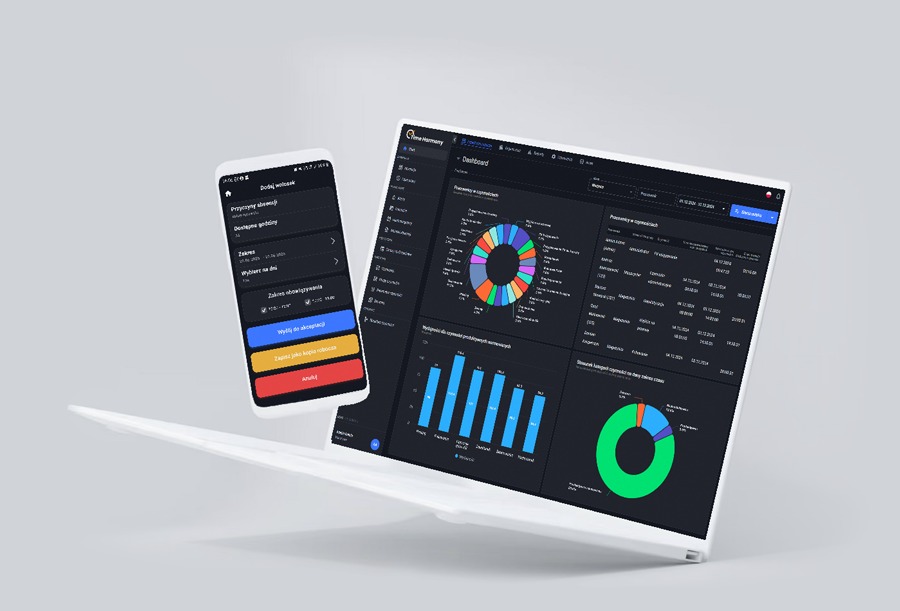
Setting a target is only half the job — the other half is tracking it as it happens. Time Harmony provides fully configurable manager dashboards, where every user can design their own widget layout and choose the scope of data shown.
On a manager dashboard, you can keep an eye on things like:
- overall average productivity as well as productivity for normed, productive activities,
- a top-10 productivity ranking — who's actually driving the team's result,
- cumulative, hour-by-hour data, so you can react to a slowdown during the shift itself instead of the next day,
- employee productivity over time — broken down by day, week, and month, making it easier to spot seasonality and lasting trends,
- data split by location, department, and team — useful for comparing multiple sites at once.
Data is available online, and can also be exported to Excel, delivered through automated email reports, or connected to Power BI for deeper analysis. You can find more on reporting options on the reports and online data page.
● Target progress is visible hour by hour, not only once a settlement period closes.
● The manager dashboard is fully configurable — widgets, locations, teams.
● Data can be exported to Excel or Power BI, and its distribution by email can be automated.
What to do when a team misses its targets
Measurement alone doesn't improve productivity — what matters is what happens after a deviation is spotted. A few principles worth following:
- Analyze the cause before drawing conclusions — a productivity drop may come from a different activity, a different site, or a poorly chosen norm, rather than from lower engagement. Granular data by activity and location lets you check this.
- Look at the trend, not a single day — a one-off dip is often natural variation, not a signal to intervene.
- Compare individual results with the team's overall result — a productivity ranking helps separate a systemic problem from an isolated case.
- Check whether the norm is still realistic — if working conditions have changed (a new warehouse layout, a different product mix), it's worth updating the norm before writing a target off as unachievable.
If you're looking for hard numbers on how much a company can realistically gain from cutting non-productive time, see the case story: idle activities reduction — an example of a client who cut the share of non-productive activity from roughly 20% to about 2% within a few months.
Common mistakes when setting performance targets
- One norm for every site and type of work — this ignores differences in conditions and leads to unfair evaluation.
- A target set without historical data behind it — a target pulled "out of thin air" usually turns out either too easy or demotivatingly high.
- No communication of the target to the team — employees don't know what they're working toward or how their current result compares.
- Monitoring only at the end of the settlement period — the problem is caught too late, once the lost time can no longer be recovered.
- Critical data entered by the employee instead of the supervisor — wherever a data point needs verification (e.g. pallet count, order number), its accuracy should be confirmed by the supervisor, not by the person performing the activity on the move.
Setting performance targets for teams only pays off once the targets are anchored in real productivity norms and paired with real-time visibility into how they're being met. Want to see how Time Harmony's advanced norms and manager dashboards would work for your organization? Book a free system demo.
Optimize working time and efficiency of your team