Version 3.15.0
In the latest system version, 3.15.0, we have introduced a set of improvements to enhance data clarity, automate HR processes, and increase precision in performance management. Please be informed that the update will be imported this coming Thursday, February 19, 2026.
🛠️ Improvement: Improved table readability
We have introduced an improvement in the way table headers are displayed in the system.
Change: In situations where a column name is too long and gets shortened, hovering the mouse cursor over it will display a tooltip with its full content.
Purpose of the change:
This change makes it easier to use extensive views and reports without the need to manually expand columns.
✨ New: Absence limits import
We have introduced an improvement for organizations that do not use automatic synchronization of leave limits from external HR and payroll systems.
- Bulk Upload: It is now possible to import limits directly into employee files.
- Precise Assignment: The import allows for specifying the number of days or hours for specific types of absences.
- Mapping Parameters: The system supports user keys and allows deciding whether the limit should be recalculated according to the employment FTE
Purpose of the change:
This feature eliminates the need for manual data entry when preparing for a new calendar year.
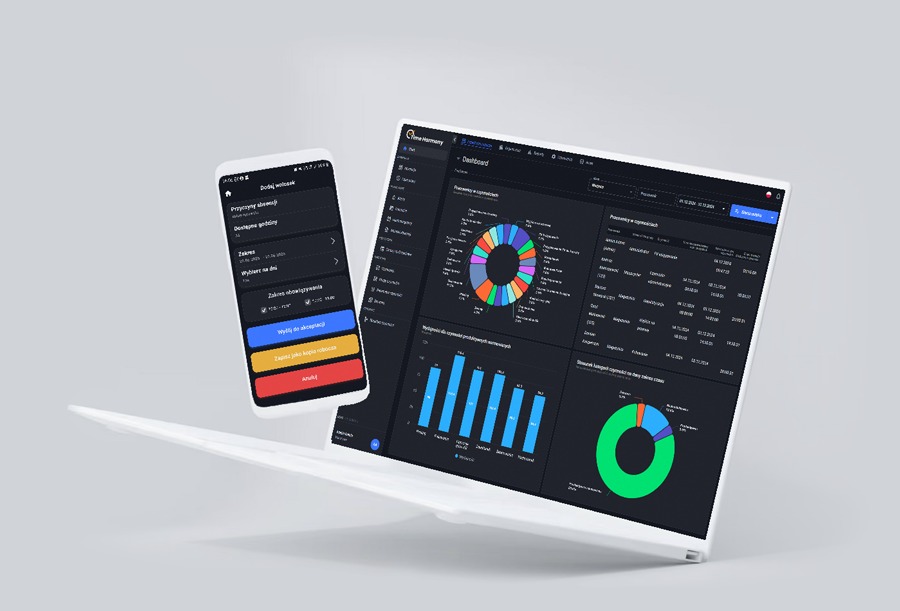
🛠️ Improvement: Dashboard Update - dynamic widget fitting
We have optimized the way data is displayed on the user dashboard, solving the problem of a static number of rows in widgets.
- Automatic Calculation: The system intelligently calculates the available vertical space for each widget and dynamically selects the number of elements.
- Optimal Screen Usage: On large monitors, the user will see more data without scrolling, while on smaller screens, the table remains compact.
Purpose of the change:
We have resolved the issue where widgets failed to respond to changes in the number of elements
🛠️ Improvement: Report delivery - attachments and size limits
We have restored the ability to receive reports directly as email attachments while ensuring mail delivery stability.
- Blocking Protection: An attachment size limit (from 0 to 20 MB) has been introduced, defined in the settings.
- Smart Counting: The system totals the weight of all files generated within a single shipment.
- Large File Handling: If a report exceeds the limit, it will not be attached but will remain available for download via a secure link.
Purpose of the change:
This change allows for quick access to data directly from the inbox while maintaining mail delivery stability.
🛠️ Improvement: "Employees in Activities" widget – new configuration options
We have introduced a new configuration option for the "Employees in Activities" table widget.
- Selective View: A selection field for specific activities has been added to the settings, allowing for the monitoring of only selected tasks.
- Multi-select: Selection is made using a multi-select list, which facilitates the work of team leaders focused on priority processes.
✨ New report: Settlement of private outings and make-up time
We have introduced a dedicated report in .xlsx format that automates the monitoring and settlement of private outings.
- Automatic Pairing: The system links private outing requests with their corresponding make-up time slots.
- Clear Signaling: Thanks to the color-coding in Excel, the settlement status is immediately visible: green (made up) or red (time remaining to be made up).
- Partial Support: The report correctly totals the time even if one outing is made up over several dates.
🛠️ Improvement: Advanced norm configuration - expanded filter count
We have expanded the norm definition module, which significantly increases analytical capabilities, especially in the logistics industry.
- Increased Limit: Each norm can now depend on up to 15 independent conditions.
- Precise Mapping: It is possible to filter by attributes from external systems, such as Packaging Type, Department Code, or Warehouse Zone.
- Matching Principle: The engine selects the norm that best fits a specific set of filters (from detail to general).
Purpose of the change:
This update makes Time Harmony an even more potent solution for tracking efficiency within highly complex operational environments.
Optimize working time and efficiency of your team

©
2023 P2P2 Sp. z o.o. I Wszystkie prawa zastrzeżone